4 min read
CSS sibling-index() and sibling-count() are now Baseline
Use CSS sibling-index() and sibling-count(), now Baseline, for staggered animations and evenly spaced values without JavaScript.
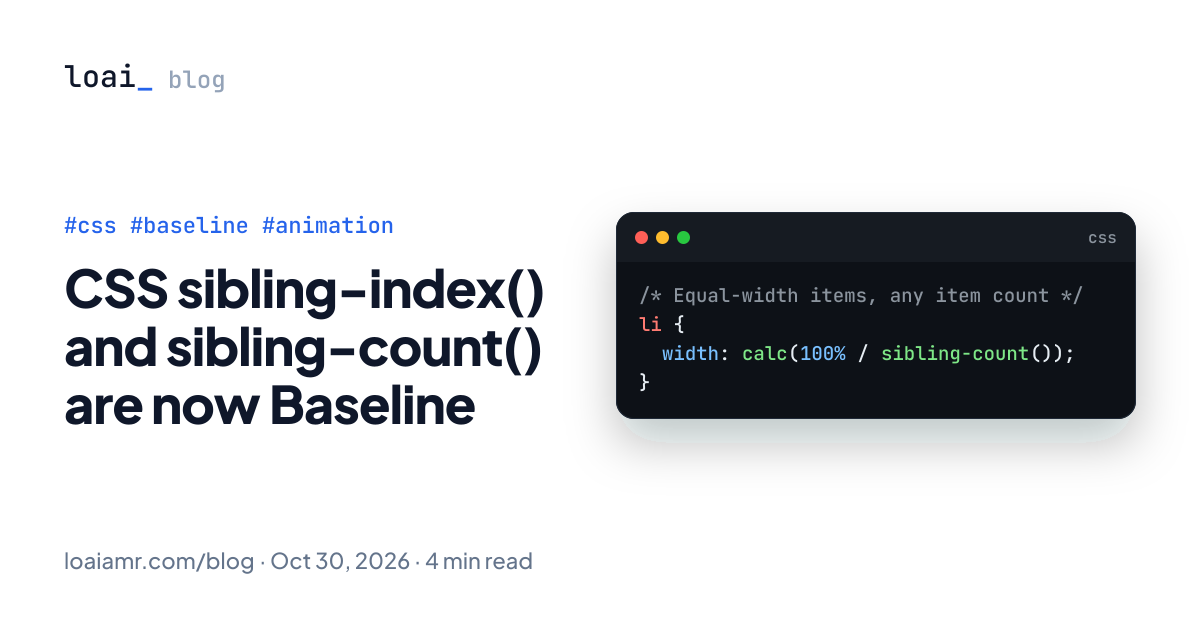
sibling-index() and sibling-count() are now Baseline Newly available, according to the August 2026 Baseline digest. They give CSS the position of an element among its siblings and the total number of siblings, as plain integers you can use in calc(). Here is what they replace and where they fit.
/* Equal-width items, any item count */
li {
  width: calc(100% / sibling-count());
}
What the two functions return
Both take no arguments and return an <integer>, per MDN:
sibling-index()is the element's position among its siblings, starting at1like:nth-child().sibling-count()is the total number of sibling elements under the same parent, including the element itself.
The important part is the type. counter() also tracks position, but it returns a string meant for generated content, so you cannot do math with it. These return numbers, so they work inside calc() with lengths, times and angles.
Both are defined in the CSS Values and Units Module Level 5, which MDN still lists as a draft, even though the features have reached Baseline.
Before: the JavaScript and nth-child workarounds
Until now, if you wanted per-item values based on position, you had two options. The first is to set a custom property from JavaScript:
export function List({ items }: { items: string[] }) {
  return (
    <ul>
      {items.map((item, i) => (
        <li key={item} style={{ "--i": i, "--n": items.length } as React.CSSProperties}>
          {item}
        </li>
      ))}
    </ul>
  );
}
The second is a pile of :nth-child(1), :nth-child(2) rules, which breaks the moment the list grows. The inline-variable approach works, but it couples your CSS to markup the template has to remember to produce, and it re-renders every item when the list length changes.
Staggered entrance animations
The classic use case is a staggered fade-in. MDN's example for sibling-index() uses it as an animation delay:
li {
  animation: fade-in 1s linear backwards;
  animation-delay: calc(1s * sibling-index());
}

@keyframes fade-in {
  from { opacity: 0; }
  to   { opacity: 1; }
}
backwards fill mode applies the from keyframe during the delay, so items stay hidden until their turn. A one second step per item is slow for real UI. Scale it down:
li {
  animation: fade-in 300ms ease-out backwards;
  animation-delay: calc(40ms * (sibling-index() - 1));
}
Subtracting 1 makes the first item start immediately. No JavaScript, no inline styles, and it works for server-rendered lists, Markdown output and CMS content where you do not control the markup.
Evenly spaced colors and angles
Because the count and index are both integers, you can spread a value evenly across however many items exist. This is adapted from MDN's demo:
.swatches > li {
  background-color: hsl(
    calc(360deg / sibling-count() * sibling-index()) 50% 50%
  );
}
Add a swatch and every hue shifts to keep the spacing even. The same idea works for rotating items around a circle:
.radial {
  position: relative;
  width: 20rem;
  aspect-ratio: 1;
}

.radial > li {
  position: absolute;
  inset: 50% auto auto 50%;
  --angle: calc(360deg / sibling-count() * sibling-index());
  transform: rotate(var(--angle)) translateY(-8rem) rotate(calc(-1 * var(--angle)));
}
The final rotate cancels the first so the content stays upright. The 8rem radius is a placeholder; tune it to your container.
Sizing based on how many items there are
sibling-count() also lets an item style itself based on a total it did not previously know about. The simplest case is the equal-width flex row from the first example:
ul {
  display: flex;
  padding: 0;
  list-style: none;
}

li {
  width: calc(100% / sibling-count());
}
For simple equal columns, flex: 1 or grid is still the better tool. Reach for sibling-count() when the number feeds a calculation that layout modes cannot express, like the hue and angle examples above, or a font size that shrinks as a toolbar gets more buttons:
.toolbar > button {
  font-size: calc(1rem - 0.02rem * sibling-count());
}
That one is a design choice, not a recommendation: check it against a minimum legible size, for example with max(0.8rem, ...).
Feature detection
If you still need to support browsers older than the Baseline cutoff, wrap the new behavior in @supports. Testing a function in a property value works:
li {
  opacity: 1;
}

@supports (width: calc(1px * sibling-index())) {
  li {
    animation: fade-in 300ms ease-out backwards;
    animation-delay: calc(40ms * (sibling-index() - 1));
  }
}
Browsers without support skip the block and show the list immediately, which is a reasonable fallback for an entrance animation. For layout-critical uses, keep your existing approach as the base rule and layer the new one on top.
Things to watch
- Counting is DOM-based. Both functions count sibling elements in the DOM, so hidden items with
display: nonestill count. If you filter a list by hiding items, indexes will have gaps. Remove them from the DOM, or keep the old approach there. - Reorder with care. Visual reordering via
orderor grid placement does not change DOM position, so the index follows the source order, not what the user sees. - Respect reduced motion. Staggered animations should be wrapped in
@media (prefers-reduced-motion: no-preference). - Check the compatibility table. Baseline Newly available means all core browsers support it, but older versions in the wild do not. Check MDN's compatibility table for exact versions before dropping fallbacks.
Takeaway
sibling-index() and sibling-count() remove one of the last common reasons to write style={{ "--i": i }} in a component. Use them for stagger delays, evenly distributed hues or angles, and anything else that depends on position or total. Keep flexbox and grid for plain layout, wrap enhancements in @supports, and remember that the numbers come from the DOM, not from what is visible.