4 min read
Delete that JavaScript: 6 things HTML already does for you
Menus, modals, accordions, validation, focus blocking and image loading: six UI jobs the browser now handles natively, with code you can paste today.
A lot of the JavaScript we ship re-implements things the browser now does natively, usually with worse keyboard and screen reader support. Here are six everyday UI jobs you can hand back to HTML, what you get for free, and the one gotcha for each.
1. Menus and popovers: popover
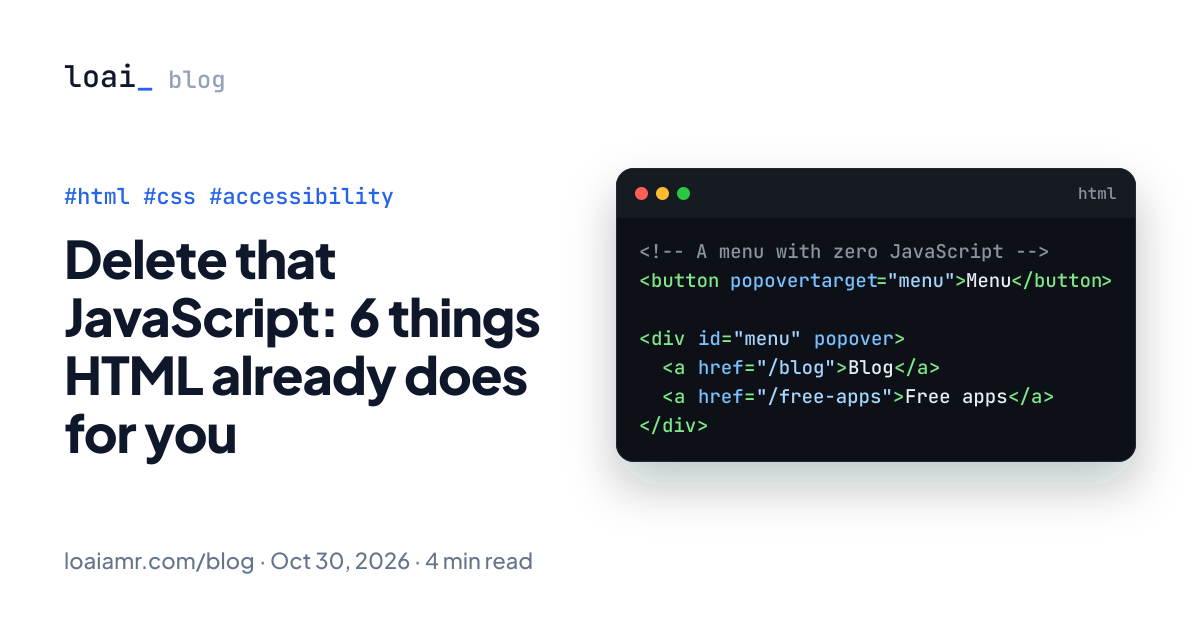
<!-- A menu with zero JavaScript -->
<button popovertarget="menu">Menu</button>

<div id="menu" popover>
  <a href="/blog">Blog</a>
  <a href="/free-apps">Free apps</a>
</div>
That's a working toggle. Per MDN's Popover API guide, a popover (the default auto state) gives you:
- Light dismiss: clicking outside closes it, and so does Esc.
- One at a time: opening another auto popover closes the first one (nested popovers are the exception).
- Top layer: it renders above everything, so no more
z-index: 9999wars. - Accessibility wiring: the popover becomes next in the Tab order, focus returns to the button when Esc closes it, and the browser sets up an implicit
aria-expandedrelationship between button and popover.
Use popover="manual" when you want several open at once and no light dismiss, like toast notifications.
Gotcha: popovers are always non-modal. If the rest of the page must be blocked, you want a dialog. The Popover API has been Baseline since January 2025, so check your browser support targets.
2. Modals: <dialog> and showModal()
<button id="open">Delete project</button>

<dialog id="confirm">
  <form method="dialog">
    <p>Delete this project? This can't be undone.</p>
    <button value="cancel">Cancel</button>
    <button value="delete">Delete</button>
  </form>
</dialog>

<script>
  const dialog = document.querySelector("#confirm");

  document.querySelector("#open").addEventListener("click", () => {
    dialog.returnValue = ""; // reset: not every close path sets a new value
    dialog.showModal();
  });

  dialog.addEventListener("close", () => {
    if (dialog.returnValue === "delete") deleteProject();
  });
</script>
showModal() makes the rest of the page inert, closes on Esc, and gives you a ::backdrop to style. A <form method="dialog"> inside closes the dialog when submitted and sets returnValue to the clicked button's value, so you don't need a click handler per button.
dialog::backdrop {
  background: rgb(15 23 42 / 0.5);
  backdrop-filter: blur(2px);
}
Gotcha: returnValue isn't cleared when the dialog opens. If something closes it without setting a new value (for example your own close button calling dialog.close() with no argument), the close handler reads whatever the last confirmation left there, like a stale "delete". Resetting it before every showModal() is a one-line guard.
3. Accordions: <details name>
<details name="faq" open>
  <summary>What's included?</summary>
  <p>The source files, a setup guide and updates.</p>
</details>

<details name="faq">
  <summary>Does it work offline?</summary>
  <p>Yes, everything runs on your device.</p>
</details>
<details> has been around forever. The newer part is name: give several <details> the same name and only one can be open at a time, which is an exclusive accordion with no script. They don't even need to be next to each other in the markup. Need to react to changes? Listen for the toggle event.
Gotcha: exclusive groups landed in Chrome 120, Safari 17.2 and Firefox 130, according to Chrome's write-up. Older browsers just let several open at once, which is a harmless fallback.
4. Form validation: required, type and :user-invalid
<form>
  <label>Email <input type="email" name="email" required /></label>
  <label>
    Phone
    <input type="tel" name="phone" pattern="0[0-9]{10}" title="11 digits, e.g. 01012345678" />
  </label>
  <button>Subscribe</button>
</form>
input:user-invalid {
  border-color: crimson;
}
The browser blocks submission, focuses the first bad field, and shows a message, all before your code runs. The classic problem was styling: :invalid matches as soon as the page loads, so empty required fields scream red before anyone has typed. :user-invalid only matches after the user has interacted with the field, and it has been available across browsers since November 2023.
Gotcha: client-side validation is UX, not security. Validate again on the server, always.
5. "Disable everything behind this": inert
<aside class="drawer" aria-label="Filters">…</aside>
<main id="content">…</main>
function setDrawer(open) {
  document.querySelector(".drawer").hidden = !open;
  document.querySelector("#content").inert = open;
}
inert makes an element and everything inside it unclickable, unfocusable, unsearchable with find-in-page, and hidden from assistive tech. It replaces the old "loop over every focusable element and set tabindex=-1" hack for custom drawers and side panels. Modal dialogs already do this for you, so you only need it for UI that isn't a <dialog>.
Gotcha: inert content looks exactly the same by default. Dim it or cover it, or people will keep clicking a page that silently ignores them.
6. Image loading: loading, fetchpriority, width and height
<!-- Hero image, likely your LCP element: load it early -->
<img src="hero.webp" width="1200" height="630" alt="Dashboard overview" fetchpriority="high" />

<!-- Below the fold: let the browser wait -->
<img src="chart.webp" width="800" height="450" alt="Load time before and after" loading="lazy" />
Three attributes, three different jobs:
widthandheightlet the browser reserve the right space before the image arrives, which prevents layout shift. Your CSS can still make the image responsive.loading="lazy"defers images until they're near the viewport. Don't put it on the hero: web.dev recommends loading above-the-fold images eagerly, because lazy loading them delays LCP.fetchpriority="high"hints that this image matters more than the others. MDN says to use it sparingly, and it's been Baseline since October 2024.
Gotcha: a lazy image with no dimensions is 0×0 until it loads. That causes layout shift, and per MDN it may never load at all if that zero-size box never intersects the visible area.
When you still need JavaScript
Native doesn't mean "never write JS". Reach for a library when you need:
- an autocomplete or combobox with async search and full keyboard support
- complex focus flows across several steps
- support for browsers older than the Baseline dates above (popover,
fetchpriorityand exclusive accordions are the newest here)
Even then, start with the native element and add behavior on top, instead of rebuilding the basics with <div>s.
Takeaway
Before you npm install a modal, dropdown or accordion package, try the platform: popover for menus, <dialog> for modals, <details name> for accordions, :user-invalid for friendlier validation, inert for custom overlays, and the right <img> attributes for loading. You ship less code and get keyboard and screen reader behavior that's hard to get right by hand.